Pick a game night. Make it a plan.
Browse events before you sign up. Join a night that catches your eye, or create one and invite people along.
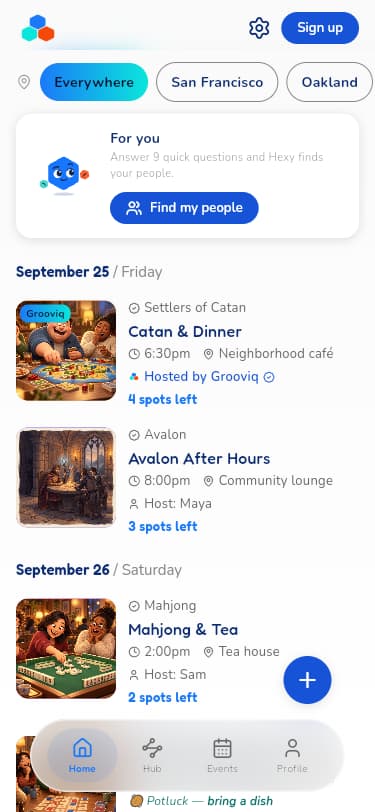
See a night you like?
Start with the game, the place, or a free evening in your calendar.
Take a look around
Open an event to check the games, host, time, location, and any cost before deciding.
Sign up when you're ready
Choose Continue with Email, Apple, or Google and follow the signup prompts.
Join and get ready to play
Follow the event's joining steps, check the details, and make a plan to be there.
Or bring the night to life.
A favorite game is a good place to start. So is a table with room for a few more.
Create a table
Use the + button and choose a Private or Open table.
Set the plan
Add a name, games, date, place, and number of players. Set a price or keep it free.
Share the invite
Send the event link to the people you'd like to join you.

Dinner can be part of the plan.
In Food & drinks, choose Potluck. Add what you’ll bring and a food note, or switch on BYOB. Everyone brings a dish to share.
Host your own
Rules question? Hexy's at the table.
Ask how to start, how a turn works, or what happens next. Hexy gives you an AI answer about the game, so you can get back to playing together.
Check important rules against the game's rulebook.
Try the Hexy examplesWant a little help finding your people?
Find my people is a separate option in the app. Answer nine questions to tell Hexy about you. You can also start by browsing the events yourself.
Open GrooviqYour next game night starts here.
Explore Grooviq in your browser, or take it with you on iPhone.